> ## Documentation Index
> Fetch the complete documentation index at: https://docs-docflow.textin.ai/llms.txt
> Use this file to discover all available pages before exploring further.

# Enterprise ID の取得方法

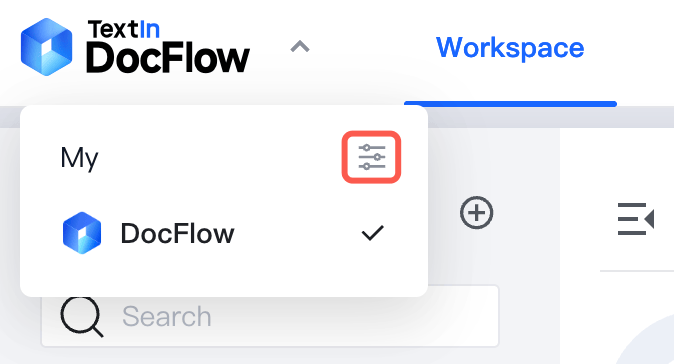
1. workspace list で左上の DocFlow ロゴをクリックし、表示されたドロップダウンメニューで、対象のエンタープライズ組織にある **Enterprise Management** ボタンをクリックします。
<img src="https://mintcdn.com/docflow-bbb41569/Hl8q91UUG5hgv3co/docflow-global/ja/images/get_enterprise_id_step_1.png?fit=max&auto=format&n=Hl8q91UUG5hgv3co&q=85&s=6914d93f59c95697d8285031d1ee0091" alt="エンタープライズ設定" width="674" height="364" data-path="docflow-global/ja/images/get_enterprise_id_step_1.png" />

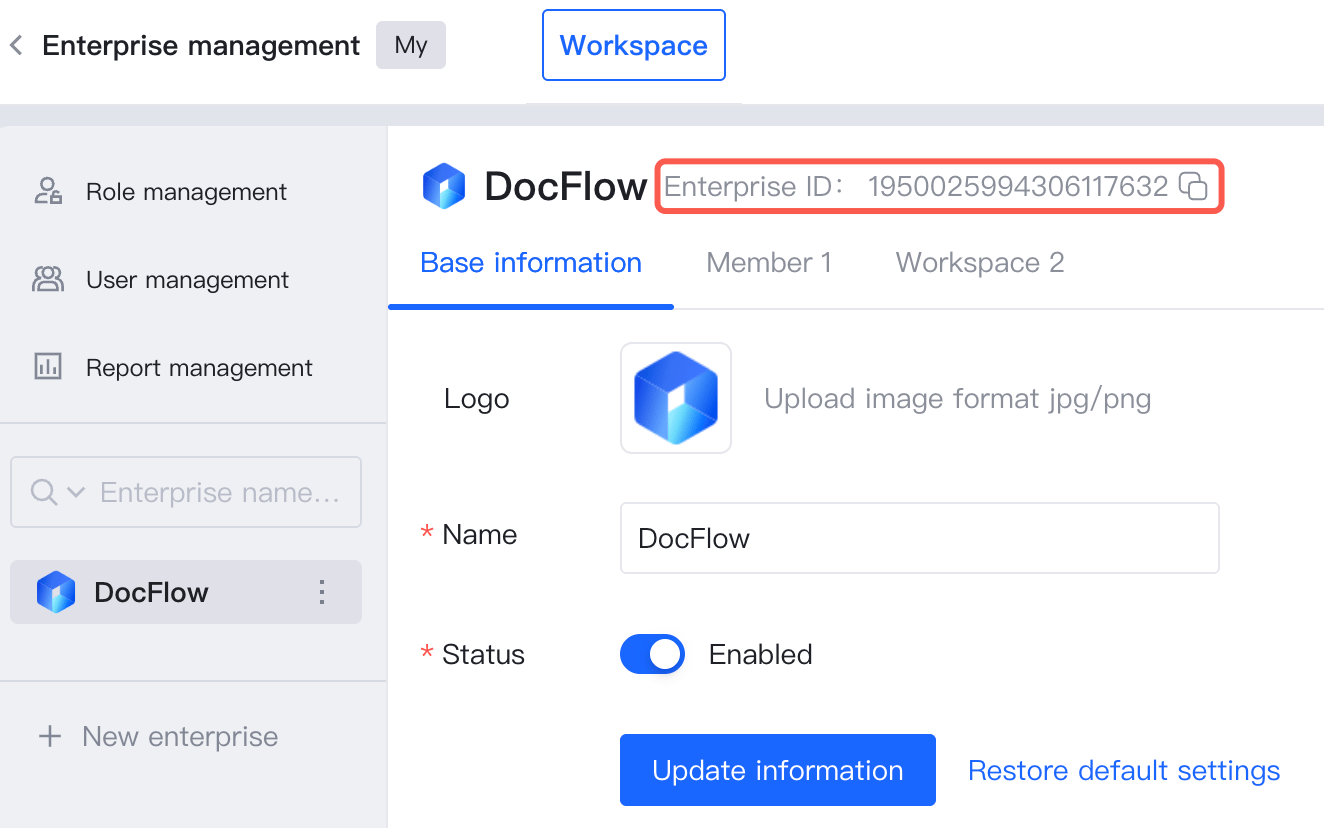
2. 表示されたスライドパネルで、Enterprise ID を **確認** または **コピー** します。
<img src="https://mintcdn.com/docflow-bbb41569/Hl8q91UUG5hgv3co/docflow-global/ja/images/get_enterprise_id_step_2.png?fit=max&auto=format&n=Hl8q91UUG5hgv3co&q=85&s=c1c6b7e89b5d2220b3bc57a874f74cf4" alt="エンタープライズ設定" width="1324" height="828" data-path="docflow-global/ja/images/get_enterprise_id_step_2.png" />
